Start with a clear image
Choose a JPG, PNG, or WebP photo you own or have permission to use. Keep it under 8 MB. A vertical composition gives your subject room to move.
Photo Motion · Made for short video
Turn a still photo into a short, vertical video. Describe a little movement, animate your image with AI, and save a clip ready for your next edit.
5-second clips720p model setting9:16 vertical
One photo. A little motion. Your next story.
PHOTO MOTIONSample image · Upload your photo to beginUpload a photo and generate a video. Preview and save the finished clip here.
See it in motion
This clip was generated with the connected Photo Motion model. Compare the source image with the actual output, then try the same photo in the studio.
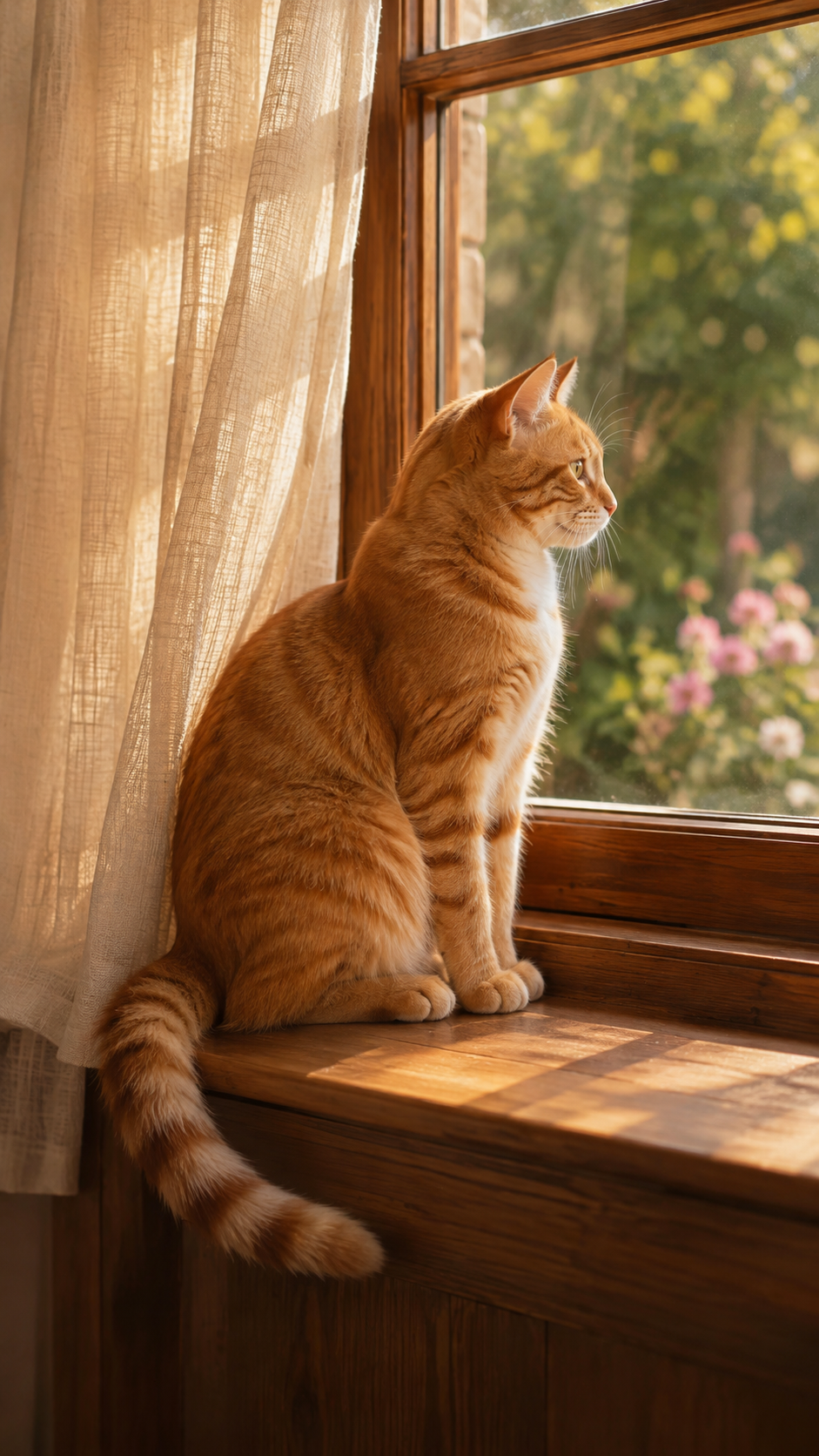
Begin with a single subject and a simple motion. Here, the direction is a gentle head turn, a blink, and a slow camera push toward the cat.
The orange cat gently turns toward the camera and blinks. Its tail moves slowly as a breeze stirs the curtain. The camera slowly pushes in. Preserve the warm light and original composition.
Loads the example into the studio. Generation starts only when you select Generate video. Results can vary.
Three steps, one workspace
Choose a JPG, PNG, or WebP photo you own or have permission to use. Keep it under 8 MB. A vertical composition gives your subject room to move.
Describe the motion you want: a gentle turn, a breeze, or a slow camera move. Start with one simple action, or use a motion prompt in the studio.
Create one 5-second clip. Check the movement, save your MP4 while its link is active, then add your own music or captions before uploading to TikTok.
A new starting point for your edit
Photo Motion adds movement to a still image. Build on the generated clip with your own editing, audio, and captions.
Try a blink, a soft head turn, or a little tail movement. Clear portraits and an uncluttered scene help you focus the direction.
Explore a slow camera move around an original product photo. Check labels, shape, and small details before using the result.
Bring gentle movement to curtains, leaves, or a quiet scene. Keep the motion restrained so the image remains the focus.
Know what you are creating
The studio currently turns one photo into a video. The output is an MP4 for your own editing and upload workflow.
AI can change details or interpret a prompt unexpectedly. Review each clip before sharing. Use authorized images and follow the platform’s rules for synthetic content. Read the guide to AI photo effects and TikTok filters →
Trend directions, clearly labeled
Start with the working Photo Motion tool. Review the next research directions from TikTok demand and visual examples while they are being tested.
Turn one still image into a short vertical video with a natural movement prompt.
Open the studio ↗Study a before-and-after outfit reveal with a strong visual change in the first seconds.
2.1M organic views · FashionReview beauty, hair, and makeup reveal patterns before connecting them to a supported model workflow.
8.7M organic views · Beauty & CareCollect outfit and seasonal transitions with a clear visual change and a short opening hook.
1.5M organic views · Detail pendingCompare makeup, hair, and face-change formats from high-performing Beauty & Care videos.
Creator sample collected · Detail pendingUse TikTok transition demand signals to identify repeatable timing, framing, and movement patterns.
Keyword evidence collected · Samples pendingBefore your first creation
The essentials about image requirements, output, model usage, and how this studio fits into your TikTok workflow.
It turns a still image into a moving clip using a text description of the motion. MorphLab currently generates one 5-second vertical video from a single photo. You can describe subject movement, background motion, and a camera move.
Upload a JPG, PNG, or WebP image, describe a simple movement, and select Generate video. Review the result, save the MP4, and upload it to TikTok yourself. Add music, captions, or other edits in your preferred editor.
Use a JPG, PNG, or WebP image up to 8 MB. Each side must be 300–6000 pixels, and the width-to-height ratio must be between 0.4 and 2.5. A clear vertical image with a distinct subject is a good starting point.
Photo Motion currently uses a 5-second duration, the 720p model setting, and a 9:16 vertical composition. Each request generates one video with an AI watermark. These settings are fixed in the current studio.
These effects are not available yet. The connected model currently supports Photo Motion from one image. Face swap, anime style, green screen, and beat transitions are marked Coming soon.
No. MorphLab creates an MP4 video that you can review and upload. It does not create interactive filters inside TikTok, connect to Effect House, or publish directly to your TikTok account. MorphLab is an independent tool.
Generation uses the allowance or billing of the connected model account. Any trial credits depend on that account and provider. MorphLab does not promise free or unlimited video generation.
When you select Generate video, the image and motion prompt are sent to the video provider. The current local server stores task metadata, not the source image; the browser stores recent creation records and small thumbnails. Video links expire in about 24 hours, so save your MP4 promptly. Provider retention follows its own terms.
Your next short video begins with an image and an idea.
Create your photo animation ↗